


IPTV Player: Watch Live TV
4.4354.00 Reviews
App Specs
- Version
- 1.7.3
- Updated On
- License
- Free
- Downloads
- 5,000,000+
- Developer
- Oliaviz GmbH
- Categories
- Video Players & Editors
- Platform
- Android
Screenshots
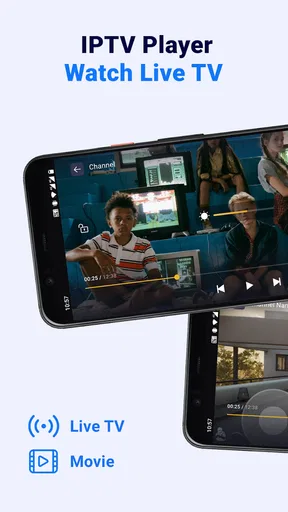
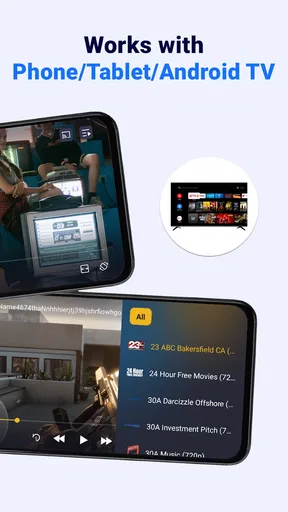
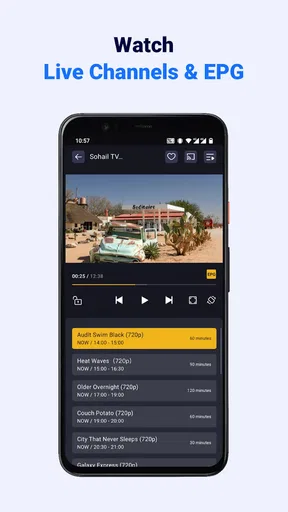
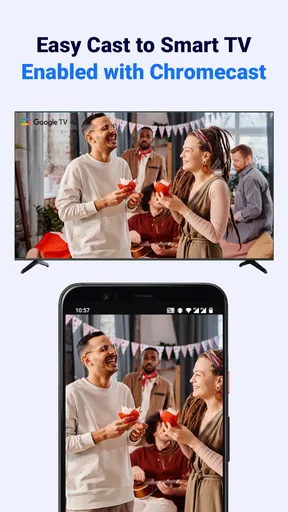
 Analysis by AppCompare
Live television changes character the moment it moves onto a phone: a strong connection can make a match or news bulletin feel immediate, while a weak one can interrupt the very moment you wanted to see. That is the lens I use for IPTV Player: Watch Live TV, a video player for people who want to watch channels through an IPTV setup rather than rely only on a television or a conventional streaming service. It is free to install, but the experience depends on having a usable internet connection and suitable channel sources.
Watching live TV where the connection allows
Oliaviz GmbH develops the app, which has an average rating of 4.4 from around 54,000 ratings and more than 5 million installs. It is rated for Everyone, and its current version is 1.7.3. Those figures suggest it has found a sizeable audience, though they don’t tell me whether a particular playlist will work well on your network. That distinction matters: the app is a player, while the channels and the quality of their streams depend on the IPTV sources you use.
Network conditions shape the viewing experience
IPTV is only as dependable as the path between the stream and your screen. At home, a stable Wi-Fi connection is usually the sensible place to start, especially for a long programme or a live event where interruptions are frustrating. On a crowded public network, the same channel may take longer to load or pause more often. I would test a stream before settling in, rather than assume that a successful launch means it will remain steady for an entire broadcast.
That is also why I would not treat the app as a replacement for a service with a managed channel package and predictable delivery. A dedicated television provider may be easier if you want someone else to arrange the channels and support the whole viewing experience. This player makes more sense when you already have IPTV playlist access and want a mobile way to use it. The app can put a stream on screen; it cannot make a poor source or unstable connection reliable.
Useful on a phone, with a few practical trade-offs
A phone makes live viewing convenient in short stretches: checking a news channel while waiting for an appointment, following a game when you are away from the television, or keeping a programme nearby while doing something else at home. The smaller screen is a fair trade for that flexibility, but battery use and mobile data become part of the decision. For a full match or a long news session, I would choose Wi-Fi and keep the phone near a charger when possible.
If you are out and relying on mobile data, think about the length of the viewing session before pressing play. Live video can consume data quickly, and the actual amount depends on the stream and network conditions. A short check-in is a different proposition from leaving a channel on for hours. I would avoid assuming that the app has an offline mode: its purpose is live streaming, so a usable connection is central to the experience.
When a stream stalls, troubleshoot the source as well as the app
A pause or failed channel does not automatically mean the player itself is at fault. IPTV playback involves the app, the playlist entry, the stream provider and your connection, so checking each part in turn is more useful than repeatedly tapping the same channel. I would first try another channel from the same playlist. If that plays, the issue may be limited to the original stream; if several channels struggle, I would check the network and then reload the playlist or reopen the app.
Worth Reading Before You Choose

EA SPORTS FC Mobile 26 Is a Bigger Football Game, but It Takes Time

Flipboard Shows What News Apps Must Do Beyond the Feed

Switching to Android Auto Means Rethinking Your Driving Routine

Google Calendar Makes a Crowded Week Easier to Manage

Ludo King Makes the Most of the Minutes Between Plans

Baby Panda World Brings Quick Play to Modern Phones, but Its Game Library Feels Busy
For a live event, a little preparation can save annoyance: open the channel before the start, make sure the connection is stable, and keep a second channel or source in mind if the first one fails. Favorites can help you reach familiar channels quickly, but they do not fix a stream that has stopped working. This is a small but important difference between organizing access and guaranteeing availability.
Who will get the most from it
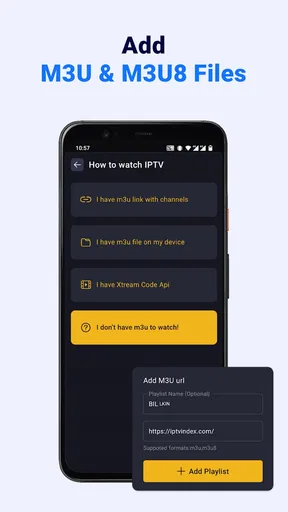
I think this app suits viewers who already know how to obtain and use IPTV playlists, value having channels on a phone, and are comfortable doing basic troubleshooting. It is less appealing if you expect a ready-made guide to every station, a guaranteed catalogue, or the same consistency as a paid television package. Newcomers may need to understand where a playlist comes from and whether they are entitled to use its streams before they can get much out of a player.
Compared with a broadcaster’s own app, an IPTV player can be a more flexible place to manage compatible channels from a playlist, rather than being tied to one broadcaster’s catalogue. Compared with a mainstream subscription service, though, it is not the same kind of all-in-one experience: those services typically organize their own programmes and handle access within their platform. The right choice depends on whether you want to manage IPTV sources yourself or prefer a curated service that does that work for you.
The app is free, with in-app purchases ranging from $2.99 to $18.99 per item. I would decide whether its basic player role meets your needs before spending anything, and check what an optional purchase changes in the app before buying. The free price makes it easy to try, but it does not remove the need for a working playlist or a network suitable for video.
Hey there, fellow app enthusiasts! So, I recently got my hands on the IPTV Player: Watch Live TV app, and let me tell you, it was quite the experience. If you’re someone who loves having a plethora of TV channels at your fingertips, this app might just be your new best friend. Let's dive into what makes this app tick and whether it's worth your time.
Getting Started with IPTV Player
First things first, setting up the app was a breeze. You can find it easily on both Android and iOS platforms, and the download process is straightforward. Once you have it up and running, you’re greeted with a clean and intuitive interface. No messy menus or confusing layouts here, folks! It’s designed to make your viewing experience as simple as possible.
For anyone comparing device requirements, it was released on August 9, 2023, and the Android version requires Android 7.0 or later. If your phone meets that baseline, you can consider trying it without buying a new device. I would still leave room for the usual practical checks: enough battery for a viewing session, a connection that can handle a stream, and access to a playlist you are allowed to use.
Features That Stand Out
The app offers a wide range of live TV channels from all over the world. Whether you’re into sports, news, entertainment, or documentaries, there’s something here for everyone. I found the channel selection pretty impressive, especially for a free app.
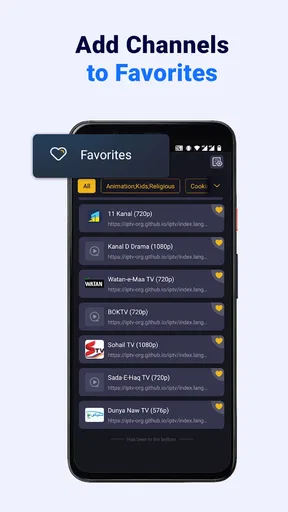
One useful way to approach a large playlist is to add only the channels you actually return to as favorites. That turns the list into a practical launch point instead of another catalogue to browse every time. If you share a screen or hand your phone to someone else, a short favorites list can also make it easier for them to choose without needing to understand the whole playlist structure.
Another feature that caught my eye is the ability to create a personalized list of favorite channels. This is perfect for those days when you just want to jump straight into your go-to shows without scrolling endlessly. Plus, the app supports high-definition streaming, which is a huge plus for someone like me who values quality viewing.
There is a trade-off between sharper picture and forgiving playback: when a stream is high definition, it can be more demanding of the connection than a lower-quality feed. If a channel buffers on mobile data or busy Wi-Fi, I would not assume the phone is underpowered. Trying the same channel on a steadier connection can help separate a network problem from a source problem, and it is a sensible check before changing devices or giving up on the app.
Performance and Usability
In terms of performance, the app runs smoothly without any noticeable lags or crashes, which is super important when you’re in the middle of a thrilling live broadcast. The streaming quality adjusts based on your internet speed, ensuring minimal buffering, which is a godsend if you’re watching a live sports event.
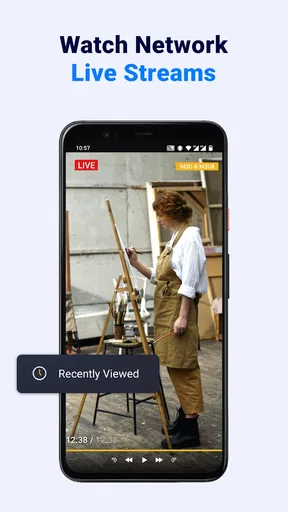
Live video is less forgiving than on-demand viewing because you cannot simply pause a moment and come back later without losing the real-time flow. I would therefore use the app differently for a match than for casual background viewing: check the stream early for an important event, and keep expectations modest when the connection is shared or moving between networks. For a programme where missing a few seconds would bother you, a stable home connection is the safer choice.
Navigation is also a piece of cake. With clearly marked categories and an easy-to-use search function, you can find your desired channel in no time. I also appreciate the app’s design for being user-friendly, even for those who aren’t tech-savvy.
That straightforward navigation helps once a playlist is in place, but it does not eliminate the learning curve around IPTV itself. If a channel name is unfamiliar or entries are organized inconsistently, search and favorites can make repeated use easier. I would take a few minutes to identify the channels that matter most, rather than expecting every item in a large list to be useful or current.
Is It Worth It?
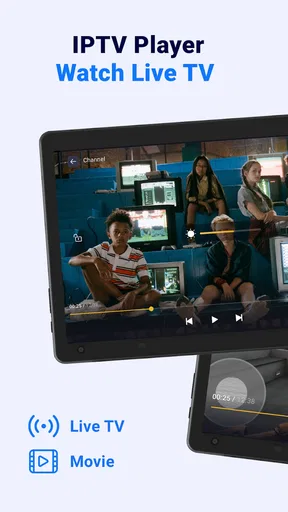
So, is the app worth your time and phone space? I’d say definitely, especially if you’re someone who loves having access to a diverse array of TV content. The app delivers on what it promises: a simple and effective way to watch live TV on your mobile device.
My recommendation is strongest for someone who already has a legitimate playlist and wants a convenient player for it. If you are looking for an app that supplies a complete, guaranteed channel package on its own, or if you need uninterrupted viewing regardless of network conditions, I would choose a different kind of television service. The distinction between a player and a channel provider is the key to avoiding disappointment.
While there are similar apps out there, the combination of a broad channel selection, ease of use, and stable performance makes this one a standout choice. Whether you’re binge-watching your favorite series or catching up on live sports events, this app has you covered.
In practice, I would treat it as a flexible companion rather than the only way to watch something important. A commuter might use it for a brief news update over a dependable connection, while someone at home could keep a few regular channels in favorites and use Wi-Fi for longer sessions. If one stream fails, testing another channel and checking the connection gives you a useful next step; if the playlist itself is unreliable, a player cannot solve that underlying problem.
In conclusion, if you’re on the hunt for a reliable IPTV player that won’t let you down, give this one a shot. It’s a solid option that brings live TV to your fingertips without any fuss. Happy watching!
Pros
- User-friendly interface with easy navigation.
- Supports a wide range of video formats.
- High-quality streaming with minimal buffering.
- Customizable channel lists for personalization.
- Frequent updates with new features.
Cons
- Requires stable internet for optimal performance.
- Limited free content without subscription.
- Ads can be intrusive in free version.
- Initial setup can be confusing for novices.
- Some channels may have regional restrictions.
FAQs for IPTV Player: Watch Live TV
What is IPTV Player: Watch Live TV and how does it work?
IPTV Player: Watch Live TV is an application that allows users to stream live television channels directly to their Android or iOS device. It works by using IPTV (Internet Protocol Television) technology to deliver TV content via the internet. Users can access a variety of channels, including international and local options, depending on their subscription or available playlists.
Is IPTV Player: Watch Live TV free to use?
The app itself is free to download and offers some basic features without cost. However, accessing premium channels or additional features may require a subscription or in-app purchases. Users should check the app's pricing details and in-app store for more information on any potential costs associated with using the service.
What are the system requirements for IPTV Player: Watch Live TV?
To run IPTV Player: Watch Live TV smoothly, users should ensure their devices meet the minimum system requirements. For Android devices, a version of Android 5.0 or higher is recommended. For iOS devices, the app requires iOS 11.0 or later. A stable internet connection is also essential for uninterrupted streaming.
Can I use IPTV Player: Watch Live TV on multiple devices?
Yes, IPTV Player: Watch Live TV can be installed on multiple devices, provided they are compatible with the app's requirements. However, simultaneous streaming on different devices may depend on the terms of your subscription or service provider. Users should review the app's policy or contact support for specific details.
Is IPTV Player: Watch Live TV legal to use?
Using IPTV Player: Watch Live TV is legal as long as users stream content from legitimate sources and comply with copyright laws. The app itself is a media player that does not host any content. Users are responsible for ensuring that the playlists and streams they access are legally obtained. It is always recommended to verify the legality of the sources you use.


